
Create a share card
Take a photo
Choose a workout and a template, then capture your share card with the camera.
How to use
Take a photo
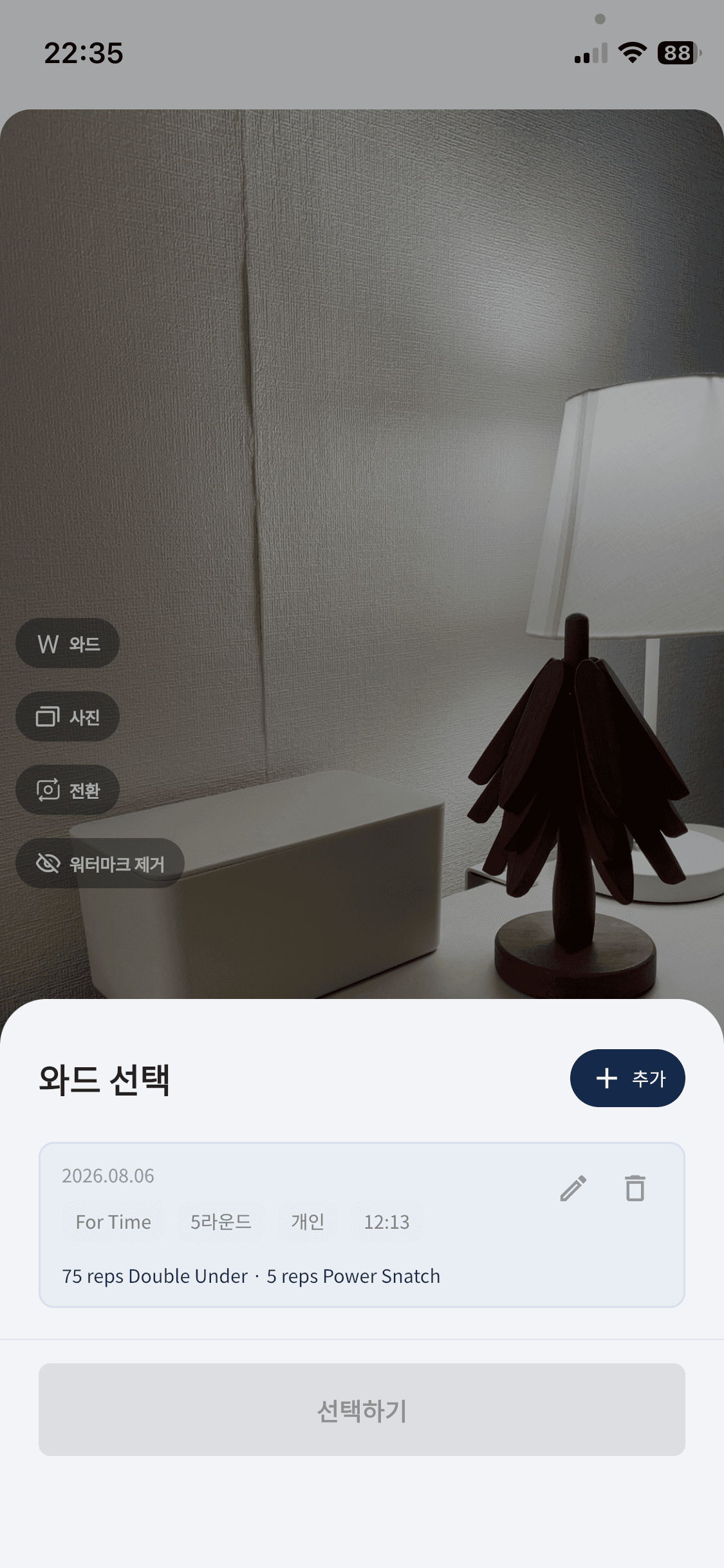
Step 1
Choose a workout
Select the workout information to show on the share card.
Step 2
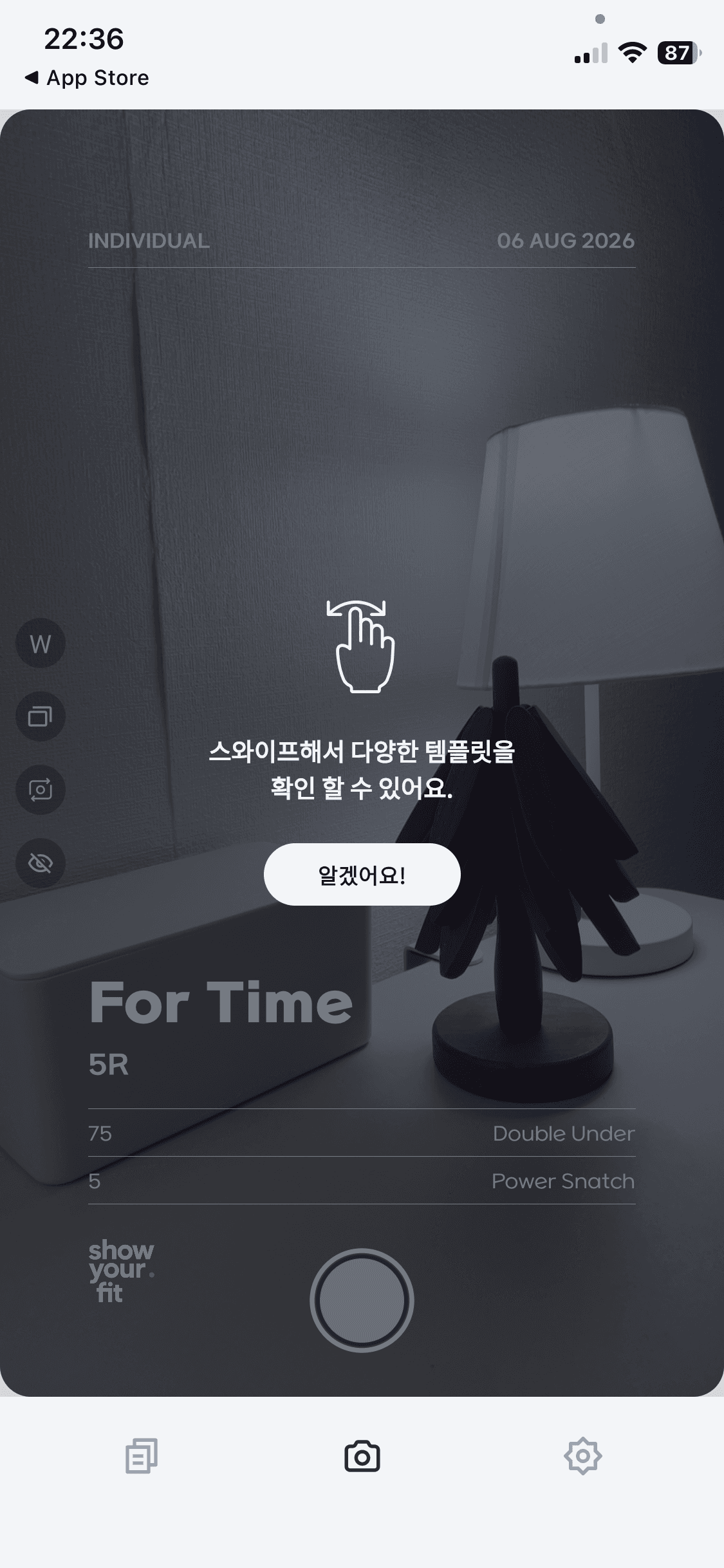
Swipe to choose a template
Swipe left or right to choose the template that best fits your photo or video.
Step 3
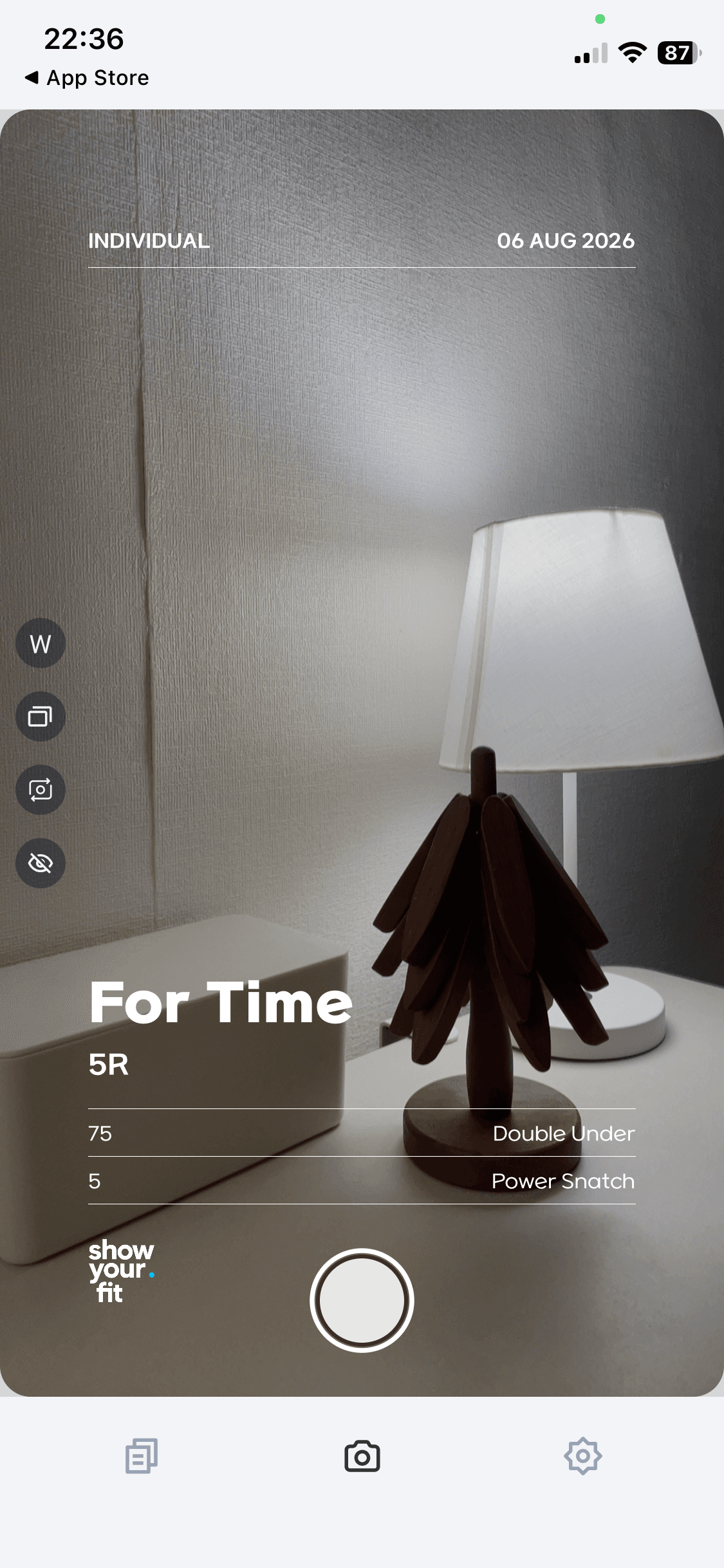
Tap the shutter
Frame the shot, then tap the shutter to take your share card photo.
Help Center